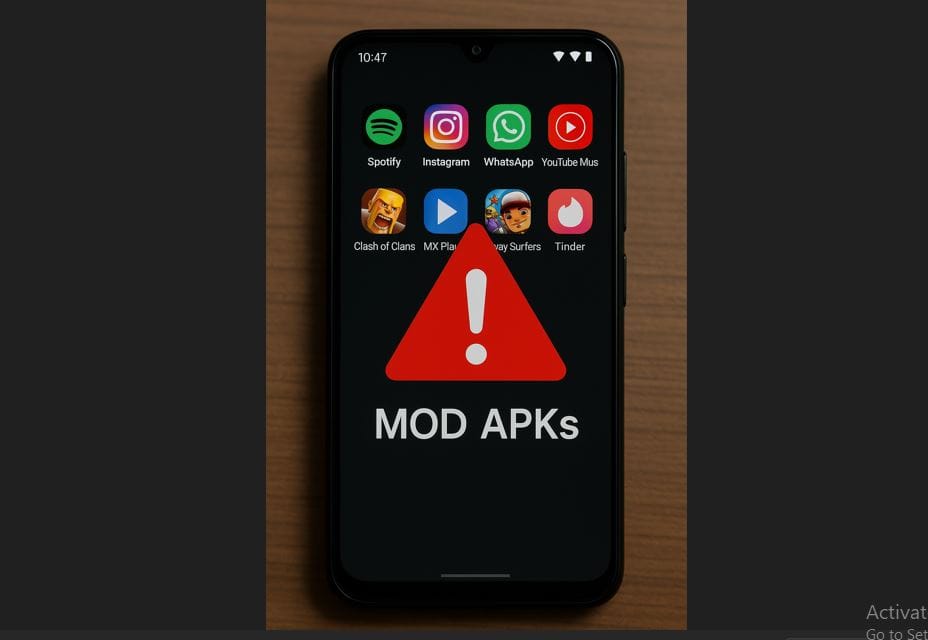
In the vast and ever-evolving landscape of Android applications, modded APKs have carved out a significant niche. These modified versions of existing apps and games promise a world of unlocked features, ad-free experiences, premium content, and enhanced customization that often isn't available in their official counterparts. For many users, the allure is undeniable. But as the saying goes, if it sounds too good to be true, it often is. The burning question on every savvy user's mind is: can modded APKs be trusted? This comprehensive guide dives deep into the realities of modded APK safety, offering actionable insights to help you navigate this often perilous terrain.
Understanding Modded APKs: The Allure and the Inherent Risk
A modded APK is essentially an altered version of an original Android application package. Developers, or "modders," take the legitimate app, decompile it, inject their own code to introduce new functionalities or remove restrictions, and then recompile it into a new APK. While this can lead to incredibly useful or entertaining enhancements, it also introduces a fundamental security challenge: a modded APK bypasses the official vetting processes of platforms like the Google Play Store or Apple's App Store.
The primary attraction lies in the benefits:
- Unlocked Features: Accessing premium features without subscription or purchase.
- Ad-Free Experience: Eliminating intrusive advertisements from free apps.
- Customization: Altering UI, themes, and other aesthetic elements.
- Gaming Advantages: Infinite in-game currency, unlocked levels, or enhanced abilities.
However, the very nature of their creation means they come with inherent risks:
- Malicious Code: The most significant threat. Modders can inject malware, spyware, ransomware, or other harmful code designed to compromise your device or steal your data.
- Privacy Concerns: Even without outright malware, a modded APK might collect more data than necessary or send your personal information to third-party servers without your knowledge.
- Instability: Modified apps can be buggy, crash frequently, or simply not work as intended due to compatibility issues or poor coding.
- Legal & Ethical Issues: Using modded APKs to bypass payment or licensing often violates the original developer's terms of service and copyright, potentially leading to account bans.
- Lack of Updates: Modded apps rarely receive official updates, leaving them vulnerable to new security exploits discovered in the original app.
So, when we ask "is apk mod safe?", the answer is rarely a simple yes or no. It's about risk assessment and mitigation.
Crucial Steps to Evaluate Modded APK Safety
While there's no 100% guaranteed way to confirm if a modded APK is entirely safe before installation, a systematic approach can significantly reduce your risk. These steps empower you to make informed decisions.
1. Scrutinize the Source: Reputation is Paramount
The origin of your modded APK is perhaps the most critical indicator of its potential safety. Just as you wouldn't buy medicine from an unknown street vendor, you shouldn't download apps from shady, unverified websites.
- Trusted Modding Communities: Look for well-established forums and websites known for their reputable modding scene, such as XDA Developers, Reddit communities dedicated to modded apps (like r/moddedandroidapps), or specific developer blogs. These platforms often have strict rules, user reviews, and active moderators who help identify malicious content.
- User Reviews and Comments: Before downloading, thoroughly read what other users are saying. Are there consistent reports of the app working well? Are people complaining about unusual permissions, battery drain, or suspicious activity? A lack of comments or overwhelmingly generic positive reviews can be a red flag.
- Website Security: Ensure the download source uses HTTPS (indicated by a padlock icon in your browser) to protect your connection. Be wary of sites riddled with pop-up ads, suspicious download buttons, or demands for personal information.
2. Analyze Requested Permissions: A Digital Snoop Detector
Once you've downloaded an APK (but before installing it), you can often view the permissions it requests. Post-installation, Android will prompt you to grant these permissions. This is a crucial checkpoint.
- Legitimate vs. Overreaching: Consider what the app *should* reasonably need access to. A photo editor needing access to your camera and storage is logical. However, a simple calculator app demanding full network access, permission to read your contacts, or access your SMS messages should immediately raise red flags. Why would a game need to read your call logs?
- Common Red Flags:
READ_CONTACTS,READ_SMS,CALL_PHONE: Unless it's a communication app, this is highly suspicious.ACCESS_FINE_LOCATION,RECORD_AUDIO: Be cautious if not directly related to the app's core function.READ_EXTERNAL_STORAGE/WRITE_EXTERNAL_STORAGE: While often necessary, an app requesting these with no clear purpose warrants concern.SYSTEM_ALERT_WINDOW: Allows an app to draw over other apps, often used by malware for phishing or deceptive overlays.
Always ask yourself: "Does this permission make sense for this app's functionality?" If not, avoid it.
3. Utilize Hash Verification: The Digital Fingerprint
Every digital file has a unique alphanumeric string called a hash (e.g., SHA-256 or MD5). Developers sometimes publish the hash of their legitimate APKs. This allows you to verify the integrity of a downloaded file.
- How it Works: You can use a hash checking tool (available as apps or desktop software) to calculate the hash of your downloaded modded APK. If this calculated hash matches a published, trusted hash, it indicates the file is identical to the one the developer released and hasn't been tampered with.
- Limitations: This is most effective when the mod developer actually provides a hash for comparison. Without a reference hash, this method is less useful for verifying arbitrary modded APKs.
4. Scan with Trusted Antivirus Software: Your First Line of Defense
Before installing any modded APK, run it through a reputable antivirus app on your Android device or your desktop computer. While not foolproof, this provides a vital layer of security.
- Popular Choices: Avast, AVG, Norton, Bitdefender, and McAfee are all well-known antivirus solutions that offer Android versions and file scanning capabilities.
- Regular Updates: Ensure your antivirus software is always up-to-date, as new malware signatures are constantly being added.
5. Employ Online Malware Scanners: The Multi-Engine Approach
Services like VirusTotal are invaluable for a deeper scan. VirusTotal aggregates results from over 70 different antivirus engines and website scanners, offering a comprehensive look at a file's potential threats.
- How to Use VirusTotal: Simply upload the APK file to VirusTotal's website. It will then scan the file with numerous engines and generate a detailed report.
- Interpreting Results:
- Few Detections: A handful of detections (e.g., 1-5 out of 70) might be false positives, especially if the file is new or contains code common in modding tools.
- Widespread Detections: If a significant number of engines (e.g., 10+) flag the file as malicious, it's a clear and strong sign to avoid it.
- Check Behavior: VirusTotal also often provides insights into file behavior, such as network connections or file system modifications, which can reveal suspicious activity.
For more detailed insights, you might also find Modded APK Safety: Uncovering Risks & Verification Tips helpful.
6. Observe Post-Installation Behavior: Trust Your Instincts
Even after all the checks, if you decide to install a modded APK, monitor your device closely for any unusual activity:
- Battery Drain: Is your battery draining significantly faster than usual?
- Unexpected Data Usage: Is the app consuming excessive mobile data in the background?
- Performance Issues: Is your phone slowing down, freezing, or crashing more often?
- Unusual Pop-ups or Ads: Are you seeing ads outside the app, or strange pop-ups on your home screen?
- New Apps Installed: Has the modded app installed other apps without your permission?
- Increased Permissions: Did the app grant itself new permissions you didn't approve?
If you notice any of these signs, immediately uninstall the app and run a full antivirus scan on your device.
The Bottom Line: Is "apk mod safe" an Oxymoron?
The truth is, no modded APK can ever be considered 100% "safe" in the same way an app from the Google Play Store is. The inherent lack of official vetting, coupled with the potential for malicious intent by unscrupulous modders, means a degree of risk will always be present. You're essentially putting your trust in an unknown third party.
However, by diligently following the steps outlined above – being highly selective about your sources, meticulously checking permissions, utilizing scanning tools, and monitoring your device – you can significantly mitigate these risks. It's about informed caution and a robust security posture rather than blindly downloading. When in doubt, always err on the side of caution. Your device security and personal privacy are simply not worth compromising for an unlocked feature or an ad-free experience.